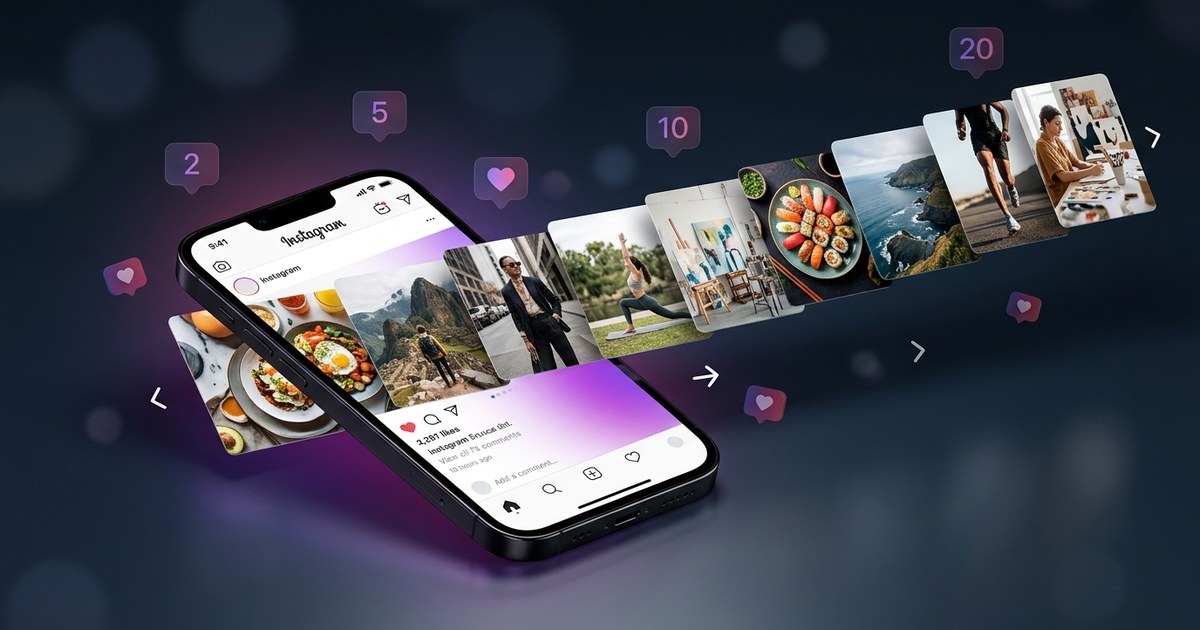
"In 2026, social media managers spend an average of 6 hours every week creating and scheduling content manually. That is 312 hours a year — nearly 8 full workdays — spent on repetitive posting tasks. A bulk social media post creator changes everything. Why Bulk Creation Matters..."
In 2026, social media managers spend an average of 6 hours every week creating and scheduling content manually. That is 312 hours a year — nearly 8 full workdays — spent on repetitive posting tasks. A bulk social media post creator changes everything.
Why Bulk Creation Matters in 2026
The digital landscape continues to evolve, and the pressure on brands to maintain a constant online presence has never been greater. As businesses strive to engage their audiences, the demand for efficient content creation tools is skyrocketing. A bulk social media post creator allows brands to meet this demand by significantly reducing the time spent on content tasks, enabling them to focus on strategy and engagement instead.
According to recent studies, the efficiency of bulk content creation has increased productivity by 40% across industries.
What Most Social Media Tools Get Wrong
- Lack of true automation: Many tools claim automation but require manual input at various stages.
- Limited AI capabilities: Few tools harness AI for content creation, missing out on advanced personalization.
- Complex user interfaces: Overly complicated dashboards can deter effective use, especially for beginners.
How PurpleTrend AI's Bulk Create Works
PurpleTrend AI — Bulk Create Dashboard
The Bulk Create interface shows a campaign editor with a grid of post cards on the left. Each card displays an AI-generated image preview, caption text, hashtag count badge, platform icon (Instagram/Facebook), and a scheduled date selector. A purple "Generate All" button at the top right triggers simultaneous AI generation for all posts. A mini content calendar on the right side shows where each post lands across the month.
Step-by-Step: Create a Full Month of Content in One Session
- Log into PurpleTrend AI and navigate to the Bulk Create Dashboard.
- Select the platforms you want to create content for: Instagram, Facebook, or both.
- Input your campaign theme or keywords for AI to generate relevant content ideas.
- Customize the AI-generated posts, adjusting captions, images, and hashtags as needed.
- Use the calendar to schedule each post, ensuring a balanced spread across the month.
- Click the "Generate All" button to finalize and schedule your entire month's content.
PurpleTrend AI vs Competitors
| Tool Name | Bulk Generation | AI Images/Videos | Auto-Scheduling | Price |
|---|---|---|---|---|
| Buffer | Limited | No | Yes | $15/month |
| Hootsuite | Yes | No | Yes | $49/month |
| Later | Limited | Yes | Yes | $12.50/month |
| Publer | Yes | No | Yes | $15/month |
| PurpleTrend AI | Yes | Yes | Yes | Custom Pricing |
Real Use Case: A Clothing Brand in Mumbai
Fashion Fusion, a clothing brand based in Mumbai, leveraged PurpleTrend AI's bulk social media post creator to transform their online strategy. By using the bulk create feature, they crafted a month's worth of engaging posts in just a few hours. The AI-generated images and captions resonated with their audience, increasing engagement by 30%. This efficiency allowed Fashion Fusion to focus more on designing and less on content creation, propelling their brand visibility in a competitive market.
Real 30-Day Content Calendar Example
| Day | Post Type | Caption Idea |
|---|---|---|
| Monday | Image | New Collection Sneak Peek |
| Wednesday | Video | Behind the Scenes at Fashion Fusion |
| Friday | Image | Customer Testimonial |
| Sunday | Story | Weekend Outfit Inspiration |
| Tuesday | Image | Staff Favorites |
| Thursday | Video | Style Tips from Our Designers |
| Saturday | Image | Featured Product of the Day |
| Monday | Story | Motivational Monday Quotes |
Pro Tips for Bulk Creation
- Plan your content themes in advance to streamline the creation process.
- Use analytics to refine your content strategy and improve engagement rates.
- Leverage AI tools to generate diverse and creative content ideas.
- Regularly review and adjust your content calendar based on performance metrics.
- Stay updated with platform trends to keep your content relevant and engaging.
FAQ
Q: How many posts can I bulk create at once with PurpleTrend AI?
A: You can bulk create up to 100 posts at once, allowing for comprehensive monthly planning.
Q: Does bulk scheduling work for Instagram and Facebook?
A: Yes, PurpleTrend AI supports bulk scheduling for both Instagram and Facebook.
Q: Can I edit individual posts after bulk generation?
A: Absolutely, each post can be individually edited to ensure it fits your brand's voice perfectly.
Q: Is PurpleTrend AI's Bulk Create free to use?
A: PurpleTrend AI offers a range of pricing tiers, including options for businesses of all sizes.
Conclusion
The efficiency and innovation offered by a bulk social media post creator like PurpleTrend AI are undeniable. By streamlining the content creation process, social media managers can focus on what truly matters — engaging with their audience and driving brand growth. Ready to revolutionize your social media strategy? Try PurpleTrend AI today and experience the future of content creation.
The True Cost of Manual Social Media Posting (And What You Gain Back)
Social media managers spend an average of 6 hours per week creating and scheduling content manually (Sprout Social 2025 Report)
- Researching topics: 45 min/week = 39 hours/year
- Writing captions and hashtags: 2 hours/week = 104 hours/year
- Creating or sourcing images: 2.5 hours/week = 130 hours/year
- Scheduling and posting: 1 hour/week = 52 hours/year
- TOTAL manual cost: 325+ hours/year (14+ full workdays)
In contrast, using PurpleTrend AI Bulk Create significantly reduces the time required for social media post creation. With this tool, you can produce one campaign—comprised of over 10 posts—in just 45 minutes. This includes AI-generated images, captions, hashtags, and scheduling. By handling 4 campaigns per month, you generate 40 posts in under 3 hours, showcasing a remarkable efficiency improvement.
ROI Highlight: Automating your social media post creation with PurpleTrend AI allows you to reclaim over 300 hours annually. This equates to nearly two weeks of full-time workdays that can be redirected toward strategic initiatives and client engagements.
By saving time on repetitive tasks, social media managers can allocate more resources to client work, creative brainstorming, and strategic planning. This not only enhances productivity but also enriches the quality of content, ultimately benefiting both the agency and its clients. With more time to focus on high-value activities, the potential for growth and innovation becomes boundless.
Real Campaign Walkthrough: 40 Posts Scheduled in 45 Minutes
Ananya, the innovative owner of a bustling fashion boutique in Bengaluru, leveraged PurpleTrend AI's Bulk Create feature to orchestrate her Diwali campaign with remarkable efficiency. In just under an hour, she managed to schedule 40 engaging posts spread over four weeks. Her campaign included an eclectic mix of content: vibrant reels showcasing festive outfits, captivating product showcases highlighting new arrivals, heartfelt testimonials from loyal customers, and enticing offer countdowns to boost sales. This strategic approach not only saved Ananya valuable time but also ensured her boutique maintained a consistent and engaging presence across her social media platforms during the busy festive season.
A Sample 4-Week Bulk Content Calendar
| Week | Day | Platform | Post Type | Caption Idea |
|---|---|---|---|---|
| Week 1 | Monday | Product Photo | "Dive into Diwali with our latest collection!" | |
| Week 1 | Thursday | Reel | "Watch how we create magic with our festive designs." | |
| Week 2 | Wednesday | Testimonial | "Here's why our clients love us during Diwali." | |
| Week 2 | Saturday | Behind-the-Scenes | "A sneak peek into our Diwali preparations!" | |
| Week 3 | Monday | Promotional | "Exclusive Diwali discounts just for you!" | |
| Week 3 | Thursday | Product Photo | "Spotlight on our trending Diwali pieces." | |
| Week 4 | Tuesday | Reel | "Join us as we celebrate the festival of lights!" | |
| Week 4 | Friday | Testimonial | "Diwali memories with our beloved customers." |
7 Pro Tips for Maximizing Bulk Create Results
- Plan your content calendar in advance to ensure coherence and relevance.
- Utilize PurpleTrend AI's library of templates to streamline your design process.
- Experiment with different post types to keep your audience engaged.
- Take advantage of PurpleTrend AI's caption suggestions to enhance your messaging.
- Regularly review analytics to refine your content strategy over time.
- Schedule posts during peak engagement times for maximum reach.
- Leverage PurpleTrend AI's customization options to personalize your posts.
Watch: Connect Your Social Accounts for Bulk Posting
Frequently Asked Questions About Bulk Social Media Post Creation
Q1: How many posts can I create in one bulk session with PurpleTrend AI?
A: With PurpleTrend AI, you can create up to 50 posts in a single bulk session, allowing you to efficiently manage your content planning.
Q2: Does PurpleTrend AI generate both images and captions in bulk?
A: Yes, PurpleTrend AI can generate both images and captions, providing a comprehensive solution for your social media content needs.
Q3: Can I customize individual posts after bulk generation?
A: Absolutely! You can easily edit and customize each post to ensure it aligns with your brand's unique voice and style.
Q4: What platforms does PurpleTrend AI's Bulk Create support?
A: PurpleTrend AI's Bulk Create feature supports popular platforms like Instagram, Facebook, and Twitter, with more integrations coming soon.
Ready to create viral content?
Join thousands of creators using PurpleTrend AI to grow their social media presence.
Start Free TrialTopics
Written by Pratik Shah
Helping Indian creators and businesses grow their social media presence with AI-powered tools. Follow us for more tips on content creation, Instagram growth, and social media marketing.
View all articles