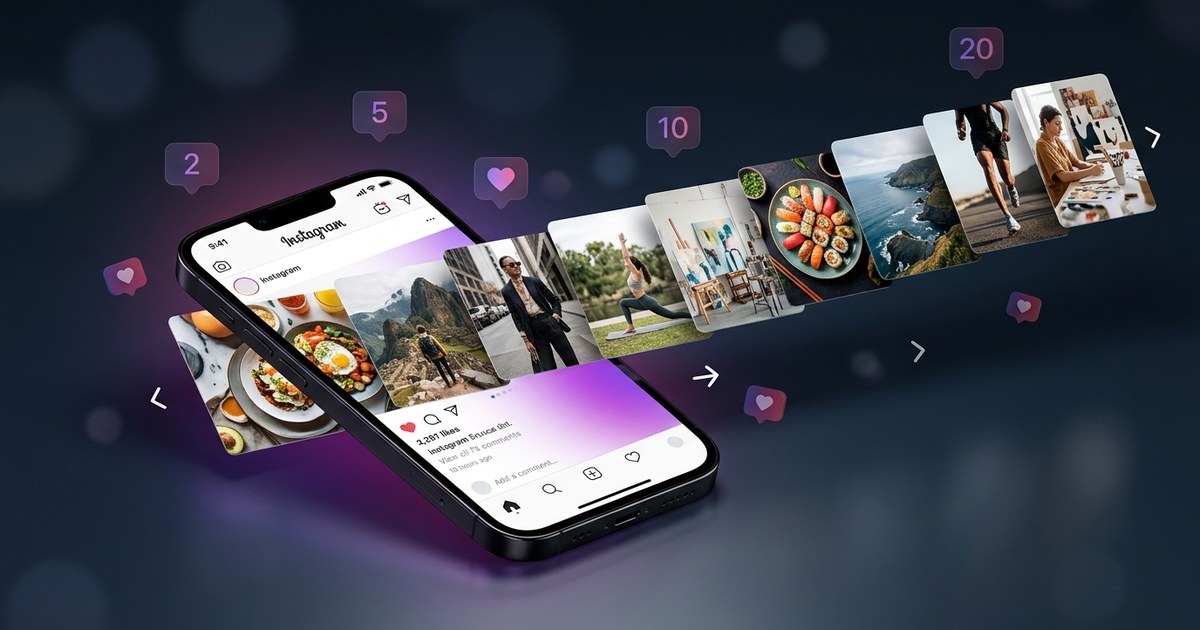
![Best AI Content Calendar Generator 2026: 7 Tools Tested [Free & Paid]](https://pub-c46235472213433496f1135a8fdf995b.r2.dev/blog/hero/best-ai-content-calendar-generator-2026-comparison-20260522_211854.jpg)
"We tested 7 AI content calendar generators in 2026 to find the best for social media managers, creators, and SMBs. Compare features, pricing, AI capabilities, and real workflow examples. PurpleTrend AI leads for Instagram/Facebook automation."
The best AI content calendar generator in 2026 is PurpleTrend AI for Instagram/Facebook-focused creators, CoSchedule for enterprise marketing teams, and Notion AI for flexible custom workflows. We tested 7 tools on: AI post generation quality, scheduling reliability, multi-platform support, pricing, and ease of use. This guide gives you honest comparisons, real workflow examples, and the exact tool to pick for your use case.
Quick Comparison: Top 7 AI Content Calendar Generators 2026
| Tool | Best For | AI Features | Platforms | Starting Price | Free Plan |
|---|---|---|---|---|---|
| PurpleTrend AI | Instagram + FB creators, SMBs | ✅ GPT-4o captions, AI images, AI videos, bulk generation | Instagram, Facebook | ₹1,000/mo ($11) | ✅ Yes (5 credits) |
| CoSchedule | Enterprise marketing teams | ⚠️ Basic AI suggestions | All major platforms | $29/mo | ❌ 14-day trial only |
| Buffer | Multi-platform scheduling | ⚠️ AI assistant (beta) | All major platforms | $6/mo | ✅ Yes (3 channels) |
| Hootsuite | Agencies, large teams | ⚠️ AI caption suggestions | All major platforms | $99/mo | ❌ 30-day trial only |
| Lately.ai | Long-form → social repurposing | ✅ AI content atomization | All major platforms | $79/mo | ❌ Demo only |
| Notion AI | Custom workflows, flexibility | ✅ GPT-4 integration | Manual export | $10/mo (add-on) | ✅ Limited queries |
| Jasper + Canva | Content + design combo | ✅ GPT-4 + DALL-E | Manual export | $49/mo + $13/mo | ❌ Trials only |
What Is an AI Content Calendar Generator?
An AI content calendar generator is a tool that uses artificial intelligence to help you plan, create, and schedule social media content automatically. Instead of manually brainstorming post ideas, writing captions, designing images, and scheduling — AI does the heavy lifting.
Key capabilities in 2026:
- AI post generation: GPT-4o/Claude writes captions, hashtags, and CTAs based on your brand voice
- AI image creation: DALL-E 3, Midjourney, or proprietary models generate visuals from text prompts
- AI video creation: Text-to-video or image-to-video for Reels, TikTok, YouTube Shorts
- Smart scheduling: AI predicts best posting times based on your audience activity
- Bulk generation: Create 30 posts in one session for the entire month
- Multi-platform optimization: Adapt one post for Instagram, Facebook, LinkedIn, Twitter automatically
Who needs this? Social media managers juggling 5+ accounts, creators posting 3-7x/week, SMBs without in-house designers, agencies serving 10+ clients.
1. PurpleTrend AI — Best for Instagram + Facebook Creators
What it does: End-to-end AI content calendar for Instagram and Facebook. Generate captions + hashtags + AI images + AI videos + schedule — all in one workflow.
AI capabilities:
- ✅ GPT-4o captions: 3 caption variants per post, brand voice learning
- ✅ AI images: DALL-E 3 + Stable Diffusion, 1080×1350 Instagram-ready
- ✅ AI videos: Text-to-video (15-60s Reels/Shorts), image-to-video animation
- ✅ Bulk generation: Create 20 carousel posts in 5 minutes
- ✅ Approval workflow: Review before posting (no surprise automation)
- ✅ Multi-language: Captions in 15 languages (English, Hindi, Tamil, Spanish, etc.)
Pricing (India-first):
| Plan | Price | Credits | Best For |
|---|---|---|---|
| Free | ₹0 | 5 credits (one-time) | Trial — 1-2 posts |
| Basic | ₹1,000/mo | 50/month | Solo creators (12-15 posts/month) |
| Pro | ₹2,000/mo | 120/month | Multi-page managers (30-40 posts/month) |
Pros:
- ✅ Affordable India-first pricing — ₹1,000/mo (~$11) for the Basic plan, 18% GST included
- ✅ Best AI video quality (Kie.ai Seedance/Veo 3.1 integration)
- ✅ Approval-first workflow (control before posting)
- ✅ India pricing (₹ not $)
Cons:
- ❌ Instagram + Facebook only (no LinkedIn, Twitter, TikTok)
- ❌ Credit-based (not unlimited)
Best for: Indian SMBs, Instagram creators posting 3-7x/week, multi-page Facebook managers.
Try PurpleTrend AI Free (5 free credits, no card required)
2. CoSchedule — Best for Enterprise Marketing Teams
What it does: Full marketing calendar with AI-powered headline analyzer, social queue, and content optimization.
AI capabilities:
- ⚠️ AI headline analyzer: Scores headlines for emotional impact and SEO
- ⚠️ AI caption suggestions: Basic GPT-3.5 integration (not GPT-4)
- ❌ No AI image generation (integrates with stock libraries only)
- ❌ No AI video
Pricing: $29/mo (Marketing Calendar), $79/mo (Marketing Suite)
Pros:
- ✅ All-in-one marketing calendar (blog, email, social, campaigns)
- ✅ Team collaboration (approval workflows, task assignments)
- ✅ WordPress plugin (publish blogs directly)
Cons:
- ❌ Expensive for solo creators ($29/mo minimum)
- ❌ AI features lag behind (basic suggestions only)
- ❌ Dollar pricing (no ₹ option for India)
Best for: US-based marketing teams managing blog + email + social + paid ads in one calendar.
3. Buffer — Best for Multi-Platform Scheduling
What it does: Classic social media scheduler with new AI assistant (beta).
AI capabilities:
- ⚠️ AI assistant (beta): Suggests post ideas and rephrases captions
- ❌ No AI images
- ❌ No AI videos
Pricing: $6/mo (Essentials), $12/mo (Team), $120/mo (Agency)
Pros:
- ✅ Clean, simple UI (easiest learning curve)
- ✅ All major platforms (IG, FB, LinkedIn, Twitter, Pinterest, TikTok)
- ✅ Free plan (3 channels, 10 scheduled posts)
Cons:
- ❌ AI features are bare-bones (beta, unreliable)
- ❌ No AI content generation (just scheduling)
- ❌ Limited analytics on free plan
Best for: Creators who already have content and just need a scheduler (not AI generation).
4. Hootsuite — Best for Agencies & Large Teams
What it does: Enterprise social media management with inbox, listening, analytics, and scheduling.
AI capabilities:
- ⚠️ AI caption composer: Suggests caption variations (GPT-3.5)
- ⚠️ OwlyWriter AI: Repurposes long-form content into social posts
- ❌ No AI images
- ❌ No AI videos
Pricing: $99/mo (Professional), $249/mo (Team), custom for Enterprise
Pros:
- ✅ All-in-one (scheduling, inbox, listening, ads, analytics)
- ✅ Best for agencies (client management, white-label reports)
- ✅ 150+ platform integrations
Cons:
- ❌ Expensive ($99/mo minimum)
- ❌ AI features are add-ons (not included in base price)
- ❌ Overkill for solo creators
Best for: Agencies managing 10+ clients, large in-house teams with dedicated social media budgets.
5. Lately.ai — Best for Long-Form → Social Repurposing
What it does: AI atomizes long-form content (blog posts, podcasts, videos) into dozens of social posts automatically.
AI capabilities:
- ✅ Content atomization: 1 blog → 50 social posts (impressive!)
- ✅ Brand voice learning: AI learns your writing style over time
- ⚠️ AI captions: Good quality but needs manual editing
- ❌ No AI images
- ❌ No AI videos
Pricing: $79/mo (Solo), $199/mo (Business), custom for Enterprise
Pros:
- ✅ Best atomization AI (turn 1 asset into 50+ posts)
- ✅ Saves massive time for content-rich brands (podcasters, bloggers)
- ✅ Multi-platform (IG, FB, LinkedIn, Twitter)
Cons:
- ❌ Expensive ($79/mo starting)
- ❌ Requires existing long-form content (not for creators starting from scratch)
- ❌ No free plan (demo only)
Best for: Podcasters, YouTubers, bloggers who need to repurpose one piece of content across 5+ platforms.
6. Notion AI — Best for Custom Workflows
What it does: Notion's workspace + GPT-4 integration. Build your own content calendar template with AI assistance.
AI capabilities:
- ✅ GPT-4 integration: Write captions, brainstorm ideas, edit drafts inline
- ✅ Custom workflows: Build any calendar structure you want
- ❌ No AI images
- ❌ No AI videos
- ❌ No scheduling (manual copy-paste to platforms)
Pricing: $10/mo (Notion AI add-on) + $10/mo (Notion Plus) = $20/mo total
Pros:
- ✅ Maximum flexibility (design your own system)
- ✅ GPT-4 quality (best text generation)
- ✅ All-in-one workspace (docs, databases, kanban, calendar)
Cons:
- ❌ Steep learning curve (Notion takes time to master)
- ❌ No native scheduling (you export to Buffer/Hootsuite)
- ❌ No AI images or videos
Best for: Power users who want total control and already use Notion for everything.
7. Jasper + Canva Combo — Best for Content + Design
What it does: Use Jasper (AI writing) + Canva (design) together for a DIY content calendar.
AI capabilities:
- ✅ Jasper AI: GPT-4 captions, blog posts, ad copy (50+ templates)
- ✅ Canva AI: Magic Write (captions), Magic Design (templates), DALL-E integration
- ⚠️ Manual workflow: Generate text in Jasper → design in Canva → export → schedule manually
Pricing: Jasper $49/mo + Canva Pro $13/mo = $62/mo total
Pros:
- ✅ Best-in-class AI writing (Jasper) + design (Canva)
- ✅ Flexible (use for social, blog, email, ads)
- ✅ Brand Kit (save fonts, colors, logos)
Cons:
- ❌ Expensive ($62/mo combined)
- ❌ No native scheduling (export to Buffer/Hootsuite)
- ❌ Manual workflow (3 tools: Jasper → Canva → Scheduler)
Best for: Content creators who need AI writing + design + flexibility across multiple use cases (blog, social, email).
How to Choose: Decision Tree
Start here: What's your primary use case?
- Instagram + Facebook only, India-based? → PurpleTrend AI (₹1,000/mo Basic / ₹2,000/mo Pro — AI images + videos included)
- Multi-platform (LinkedIn, Twitter, TikTok)? → Buffer ($6/mo) or Hootsuite ($99/mo for teams)
- Repurposing long-form content (blog, podcast, video)? → Lately.ai ($79/mo)
- Enterprise marketing team (blog + email + social + ads)? → CoSchedule ($29/mo)
- Power user who wants custom workflows? → Notion AI ($20/mo)
- Need best-in-class AI writing + design (DIY)? → Jasper + Canva ($62/mo)
Real Workflow Example: How We Use PurpleTrend AI
Goal: Create 30 Instagram carousel posts for June 2026 in one 20-minute session.
Step 1: Bulk Generation (5 minutes)
- Open PurpleTrend AI Bulk Create
- Input: "30 Instagram carousel posts about social media marketing tips for small businesses"
- Select: AI images (1080×1350), GPT-4o captions, hashtags
- Click "Generate All"
- Result: 30 complete posts (image + caption + hashtags) in 5 minutes
Step 2: Review & Approve (10 minutes)
- Preview each post in the calendar view
- Edit captions where needed (AI is 90% ready, 10% fine-tuning)
- Swap AI images if style doesn't match brand
- Approve all 30 posts
Step 3: Schedule (5 minutes)
- Use "Smart Schedule" to auto-assign best posting times
- Or drag-and-drop posts to specific dates in calendar
- Click "Schedule All"
Result: Entire month of content (30 posts) created, approved, and scheduled in 20 minutes. Traditional workflow = 10-15 hours.
Time saved: 14 hours/month = $280 in labor cost savings (at $20/hr freelance rate).
Common Mistakes When Using AI Content Calendars
1. Treating AI Output as Final Draft
Mistake: Publishing AI captions without editing.
Fix: AI is 90% ready. Always add brand personality, emojis, or CTAs before posting.
2. Not Training the AI on Brand Voice
Mistake: Using generic prompts like "write a caption about fitness."
Fix: Give AI context: "Write a motivational fitness caption for women 25-35 in India, friendly tone, use Hindi slang, end with a question."
3. Over-Scheduling Without Engagement
Mistake: Scheduling 30 posts and disappearing for a month.
Fix: Pair automation with daily 15-minute engagement (reply to comments, DMs, engage with followers).
4. Ignoring Platform-Specific Optimization
Mistake: Using the same caption for Instagram, Facebook, LinkedIn, Twitter.
Fix: Instagram = emojis + hashtags. LinkedIn = professional + no hashtags. Twitter = short + trending topics.
5. Not A/B Testing Posting Times
Mistake: Scheduling all posts at 9 AM because "that's when people check phones."
Fix: Test 3 time slots (9 AM, 1 PM, 7 PM) for 2 weeks. Track engagement. Double down on winner.
FAQ: People Also Ask
1. Is AI content calendar generation worth it in 2026?
Yes — if you post 3+ times/week. ROI calculation: AI tool at ₹500/mo saves 10 hours/month. At ₹500/hr freelance rate, that's ₹5,000 in labor savings. 10x ROI.
2. Can AI content calendars replace a social media manager?
No — AI handles content creation and scheduling, but not strategy, community engagement, or analytics. Best use: AI = execution assistant, human = strategist.
3. Which AI model is best for social media captions?
GPT-4o (OpenAI) in 2026. Better than GPT-3.5 (older, less nuanced), Claude (too formal), Gemini (hit-or-miss). PurpleTrend AI uses GPT-4o.
4. Do AI content calendars work for B2B brands?
Yes — but require more editing. B2B content needs industry-specific jargon and thought leadership. AI provides the structure, you add the expertise.
5. How do I prevent AI content from sounding robotic?
- ✅ Add personality: Emojis, slang, conversational language
- ✅ Use brand voice guidelines: Feed AI examples of your best posts
- ✅ Edit every caption: Change 10-20% of AI output to sound human
- ✅ Add personal stories: AI can't replicate your unique experiences
6. Can I use AI content calendars for Instagram Reels?
Partially — AI can generate scripts and video concepts. Tools like PurpleTrend AI can create 15-60s video clips from text or images. But Reels still need manual editing for trending audio, effects, and cuts.
7. What's the difference between AI content calendar and social media scheduler?
- AI content calendar: Generates + schedules content (AI writes, designs, posts)
- Social media scheduler: Only schedules content you already created (Buffer, Hootsuite)
8. How much does an AI content calendar cost?
Range: ₹0-₹10,000/month ($0-$120/mo)
- Free plans: PurpleTrend AI (5 starter credits), Buffer (3 channels)
- Budget: ₹1,000-₹2,000/mo ($11-$22) — PurpleTrend AI Basic & Pro, Buffer, Notion AI
- Mid-tier: ₹2,000-₹6,000/mo ($25-$79) — CoSchedule, Lately.ai
- Enterprise: ₹10,000+/mo ($120+) — Hootsuite, custom solutions
Related Guides
- How to Bulk Create Social Media Content with AI in 2026 (Pillar)
- Bulk Social Media Post Creator: Save 10 Hours/Week
- AI Content Planner 2025: Build Consistent, High-Performing Content
- Schedule Instagram Posts with AI Automation [2026 Guide]
- Best AI Instagram Post Generator 2025: Complete Guide
- Best AI Tools for Social Media Managers 2025
Bottom Line: If you're an Instagram/Facebook creator in India posting 3-7x/week, try PurpleTrend AI's free plan (5 free credits, no card). If you need multi-platform + team collaboration, start with Buffer ($6/mo) or upgrade to CoSchedule ($29/mo). For content repurposing, Lately.ai ($79/mo) is unbeatable.
Still deciding? Test PurpleTrend AI free for 30 days (no credit card) and compare it to Buffer's free plan. Pick the one that fits your workflow.
Ready to create viral content?
Join thousands of creators using PurpleTrend AI to grow their social media presence.
Start Free TrialTopics
Written by PurpleTrend AI Team
Helping Indian creators and businesses grow their social media presence with AI-powered tools. Follow us for more tips on content creation, Instagram growth, and social media marketing.
View all articles