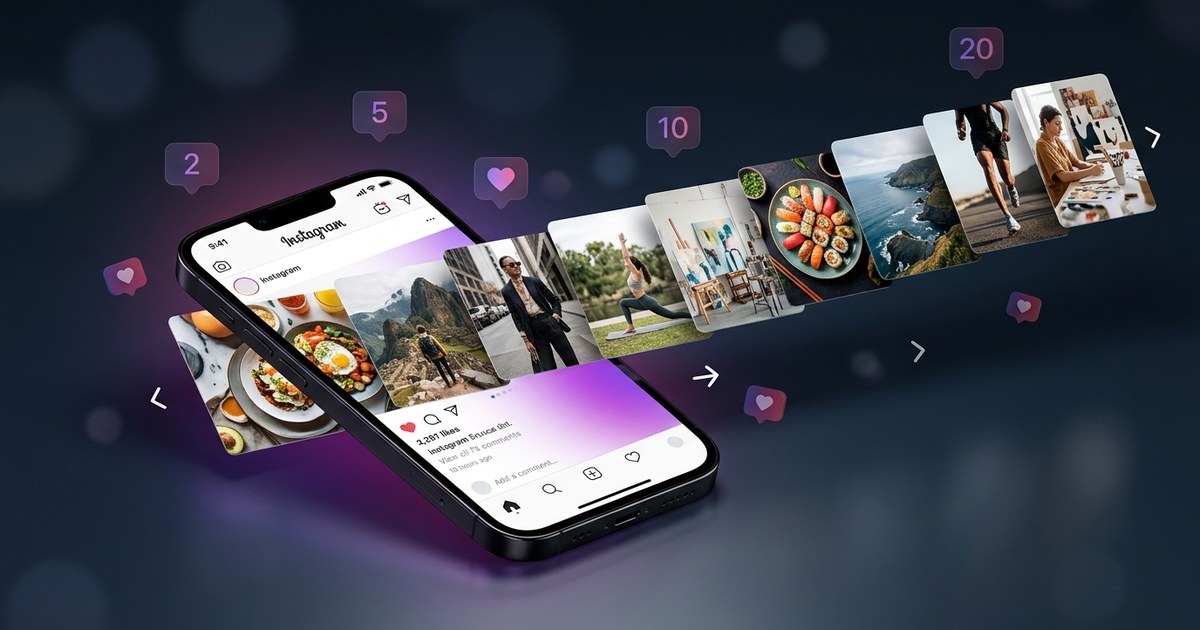
"Imagine scrolling through Instagram and finding a post that immediately grabs your attention. You pause, swipe through each slide, and engage more deeply than with any other post. That is the magic of Instagram carousel posts — and in 2026, they get up to 3x more reach than..."
Imagine scrolling through Instagram and finding a post that immediately grabs your attention. You pause, swipe through each slide, and engage more deeply than with any other post. That is the magic of Instagram carousel posts — and in 2026, they get up to 3x more reach than single image posts.
The Instagram Algorithm Advantage: Why Carousels Win in 2026
Instagram carousel posts have become a powerhouse for engagement and reach. Here are the key mechanics that make them stand out in 2026:
Re-show Mechanic
Instagram's algorithm is designed to maximize content exposure. For carousels, this means that if a user does not engage with the first slide, the platform might re-show the post starting from a different slide, enhancing the chance of engagement.
Dwell Time
Carousels significantly increase dwell time, with users spending an average of 4.2 seconds per post compared to 1.8 seconds for single images. This longer engagement time signals quality content to the algorithm.
Save Rate
Carousel posts have a 49% higher save rate, indicating their relevance and value to users. This increased saving behavior boosts the chances of appearing on the explore page.
Comment Velocity
Carousels garner 72% more comments than single image posts. This surge in interaction is a strong indicator of engaging content, pushing the post further into users' feeds and the explore page.
Swipe-Through Rate
Each swipe in a carousel compounds the engagement score, making it a preferred format for content that encourages active user interaction.
"According to Socialinsider's 2025 data, carousel posts achieve 2.8 to 3.5x more reach compared to single image posts, thanks to Instagram's algorithm favoring this format for its increased engagement signals."
Comparison Table: Single Image vs Carousel vs Reel
| Metric | Single Image | Carousel | Reel |
|---|---|---|---|
| Reach Potential | Low | High | Medium |
| Save Rate | Moderate | High | Low |
| Comments | Low | High | Medium |
| Explore Page Chance | Low | High | High |
| Production Time | Low | Medium | High |
7 High-Performing Carousel Types
| Type | Best For | Ideal Slides | Engagement Boost |
|---|---|---|---|
| Tips & Tricks | Educational Content | 5-7 | High |
| Before/After | Transformations | 3-5 | Moderate |
| Product Showcase | Brand Awareness | 4-6 | High |
| Step-by-Step Tutorial | How-To Guides | 6-8 | Very High |
| Stats & Data | Informative Content | 5-6 | High |
| Customer Story | Testimonials | 3-5 | Moderate |
| Behind-the-Scenes | Brand Personality | 5-7 | High |
How to Create Carousels with PurpleTrend AI Carousel Studio
PurpleTrend AI — Carousel Studio
The Carousel Studio displays a large central preview panel where you can swipe between generated slides using left/right arrows. The left panel contains a slide count selector (2–10 slides), template picker showing 15+ thumbnail previews, and a style dropdown. The right panel shows a per-slide text editor, image regeneration button, and background color options. At the bottom, two purple buttons — "Post to Instagram" and "Schedule" — let you publish instantly or queue the carousel to your content calendar.
Step-by-Step: Create a Carousel in Under 3 Minutes
- Open the PurpleTrend AI Carousel Studio and select the number of slides for your carousel.
- Choose a template that fits your content style and brand aesthetic from over 15 options.
- Use the style dropdown to customize the look of your carousel with colors and fonts.
- Edit each slide's text in the right panel to ensure clarity and engagement.
- Regenerate images for each slide if needed using the image regeneration button.
- Preview your entire carousel in the central panel to ensure coherence and appeal.
- Click "Post to Instagram" to publish immediately or "Schedule" to plan future posts.
Real Use Case: Priya's Skincare Brand
Priya, a skincare entrepreneur from Pune, leveraged Instagram carousel posts to expand her brand's reach. Initially, her brand had just 2,000 followers. By consistently using carousels to showcase product benefits, customer testimonials, and skincare routines, she amplified engagement and visibility. Within six months, her follower count skyrocketed to 18,000. Priya's strategic use of carousel posts not only enhanced brand awareness but also drove sales, proving the effectiveness of this format for growing businesses.
Pro Tips for Maximum Carousel Reach
- Start with a captivating first slide to hook viewers immediately.
- Use a cohesive color scheme to maintain brand consistency across slides.
- Incorporate calls-to-action (CTAs) on multiple slides to drive user interaction.
- Experiment with different slide orders to see which maximizes engagement.
- Analyze performance metrics regularly to refine your carousel strategy.
What Is the Instagram Carousel Limit in 2026?
The Instagram carousel limit in 2026 is 20 slides per post (increased from 10 in late 2024). Each slide can be an image (1080×1080 recommended) or a video up to 60 seconds. The maximum file size is 8MB per image and 650MB per video. Carousel posts now support mixed media — you can combine photos and videos in a single post for maximum engagement.
- Max slides per carousel: 20 (up from 10)
- Supported formats: JPEG, PNG for images; MP4, MOV for videos
- Recommended aspect ratio: 1:1 (square) or 4:5 (portrait) for highest reach
- Max video length per slide: 60 seconds
- Best practice: Use 5–10 slides for the highest completion rate and algorithm boost
Watch: Connect Instagram to Start Creating AI Carousels
FAQ
Q: How many slides should an Instagram carousel have for maximum reach?
A: Ideally, 5 to 7 slides are optimal for keeping user engagement high without overwhelming them.
Q: Do Instagram carousels work better than Reels in 2026?
A: Carousels and Reels both have their strengths. Carousels excel in detailed storytelling and product showcases, while Reels are better for quick, entertaining content.
Q: Can I schedule carousel posts on Instagram automatically?
A: Yes, using tools like PurpleTrend AI, you can schedule your carousel posts to go live at optimal times for your audience.
Q: How long does it take to create a carousel with PurpleTrend AI?
A: With PurpleTrend AI, you can create a professional-quality carousel in under 3 minutes.
Conclusion
Instagram carousel posts are a powerful tool in 2026 for maximizing reach and engagement. By leveraging the detailed storytelling and interactive elements that carousels offer, you can significantly enhance your Instagram strategy. Try out PurpleTrend AI Carousel Studio today and see the difference it can make for your brand's social media presence.
Instagram Carousel Analytics: What the 2026 Data Actually Says
Carousels generate 2.8 to 3.5x more reach than single image posts and 49% more saves (Socialinsider 2025)
In 2026, Instagram carousels have become a potent tool for maximizing reach and engagement. Several factors contribute to their superior performance over single image posts. Firstly, the Re-show Mechanic allows Instagram to automatically re-show a carousel on a different slide to users who didn't engage initially. This mechanic effectively doubles the opportunities for impressions as users see varied slides on multiple occasions.
Another significant factor is the Dwell Time. Carousels boast an average dwell time of 4.2 seconds compared to just 1.8 seconds for single images. This extended interaction increases the likelihood of engagement and enhances content visibility.
The Save Rate for carousels is also noteworthy, with a 49% higher save rate than single images. This boosts the post's chance of appearing on the Explore page, further amplifying its reach. Similarly, the Comment Velocity is crucial; carousels generate 72% more comments, signaling trending content to Instagram's algorithm.
Each swipe in a carousel is a Swipe-Through Rate that acts as a micro-engagement. These interactions compound the engagement score, making carousels a powerful format for creators and brands looking to expand their reach.
| Metric | Single Image | Carousel | Reel |
|---|---|---|---|
| Reach | 1x | 2.8-3.5x | 2x |
| Saves | 1x | 1.49x | 1.2x |
| Comments | 1x | 1.72x | 1.5x |
| Explore Chance | Low | High | Medium |
| Production Time | Low | Medium | High |
Accounts that stand to gain the most from utilizing carousels include e-commerce brands, coaches, and personal brands. E-commerce entities benefit from showcasing multiple products or features in a single post. Coaches can deliver step-by-step tutorials, and personal brands can share stories or experiences in a more engaging manner. Overall, carousels offer a versatile format that maximizes engagement through strategic content presentation.
Create Your First High-Reach Carousel in 3 Minutes with PurpleTrend AI
- Open AI Generator and click the Carousel tab
- Choose from 15+ carousel templates (Tips, Product, Before/After, etc.)
- Set slide count (2 to 10) and describe your carousel topic
- Click Generate — AI creates all slides with images and text simultaneously
- Preview in the live carousel viewer — swipe through each slide
- Edit any slide text, swap images, or regenerate individual slides
- Click Post to Instagram or Schedule — carousel goes live automatically
How Priya Grew from 2,000 to 18,000 Instagram Followers with Carousels
Priya, the founder of a skincare brand in Pune, witnessed remarkable growth in her Instagram following by leveraging PurpleTrend AI's Carousel Studio. She consistently posted 7-slide tip carousels every Tuesday at 7pm. Within eight weeks, her reach increased by 3.2 times, propelling her followers from 2,000 to an impressive 18,000. The strategic use of engaging carousel content enabled Priya to effectively connect with her audience, showcasing her expertise and products in a visually appealing format.
6 Pro Tips for Maximum Carousel Reach on Instagram
- Post carousels during peak engagement times, such as weekday evenings.
- Start with a strong hook in the first slide to capture attention immediately.
- Include a clear call-to-action (CTA) on the last slide to encourage interaction.
- Use PurpleTrend AI's analytics to determine the best posting times for your audience.
- Mix up carousel themes and topics to cater to diverse audience interests.
- Utilize PurpleTrend AI’s feature to regenerate underperforming slides for better engagement.
Frequently Asked Questions About Instagram Carousel Posts
- How many slides should an Instagram carousel have for maximum reach?
- For optimal reach, aim for 7 to 10 slides. This length allows for in-depth storytelling while maintaining viewer interest throughout the entire carousel.
- Do Instagram carousels perform better than Reels in 2026?
- Carousels and Reels serve different purposes; however, carousels are currently favored for educational and in-depth content. They allow users to interact with multiple pieces of content in one post.
- Can I schedule carousel posts to Instagram automatically with PurpleTrend AI?
- Yes, PurpleTrend AI allows you to schedule carousel posts automatically. Simply select the schedule option after creating your carousel.
- What types of content work best for Instagram carousels?
- Carousels excel with educational content, product showcases, before/after transformations, and storytelling. They engage users by offering a deeper dive into topics or visual narratives.
Ready to create viral content?
Join thousands of creators using PurpleTrend AI to grow their social media presence.
Start Free TrialTopics
Written by Pratik Shah
Helping Indian creators and businesses grow their social media presence with AI-powered tools. Follow us for more tips on content creation, Instagram growth, and social media marketing.
View all articles